Always in view
The bar shows what you're on and today's total. The clock turns gold at your daily goal, and "Not tracking" is impossible to miss.
 Tracking
 Hover to stop, or open the Jira issue
 With Copilot usage
 Daily goal reached
 Not tracking

A time tracker that sits in a small bar on your screen, asks where idle time went instead of guessing, and turns your week into a timesheet. Everything stays in one file on your machine.
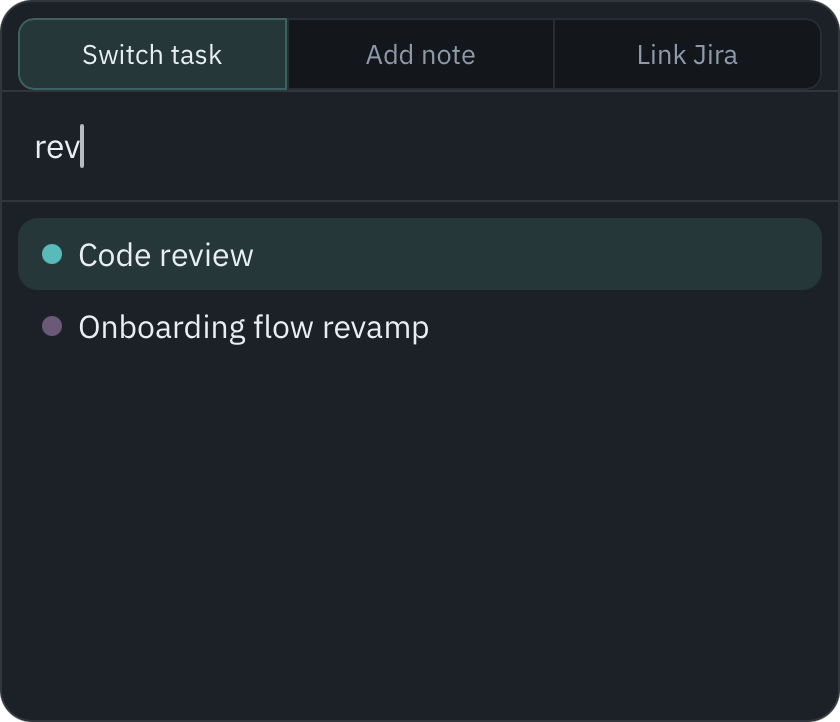
Press Cmd/Ctrl+Shift+T anywhere, type a few letters, hit Enter. You're timing the new task, and the old one is closed off.
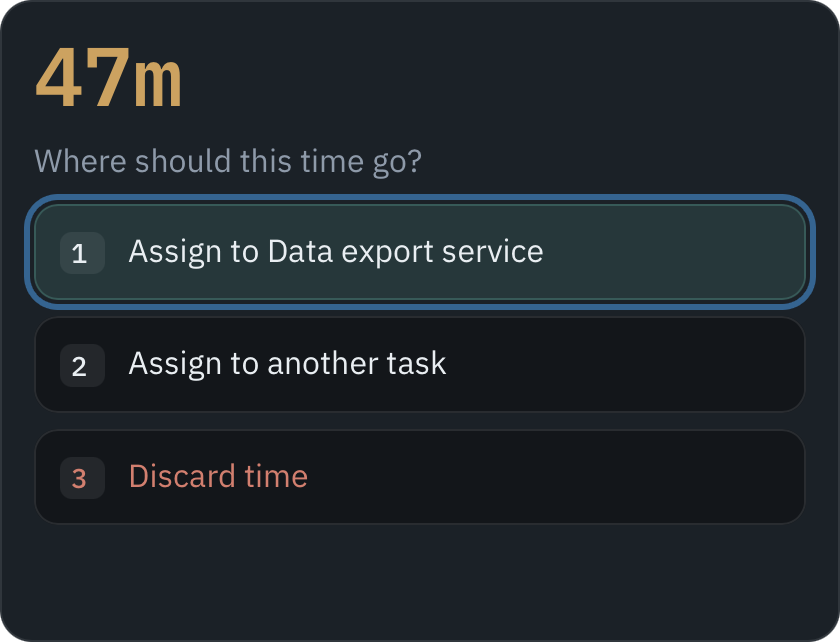
Walked away? When you return, one prompt asks where the gap goes: 1 keeps it, 2 moves it, 3 throws it out.
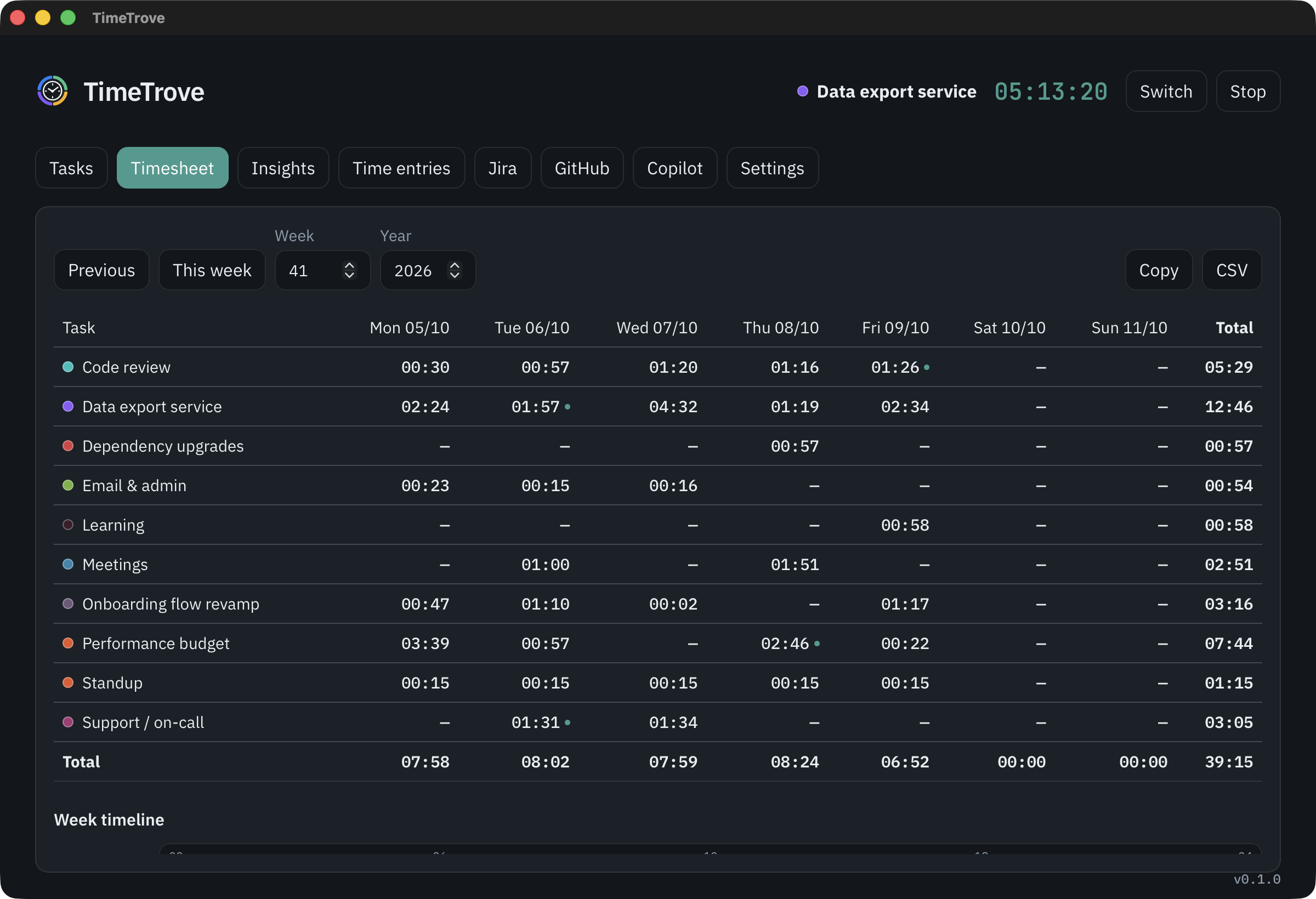
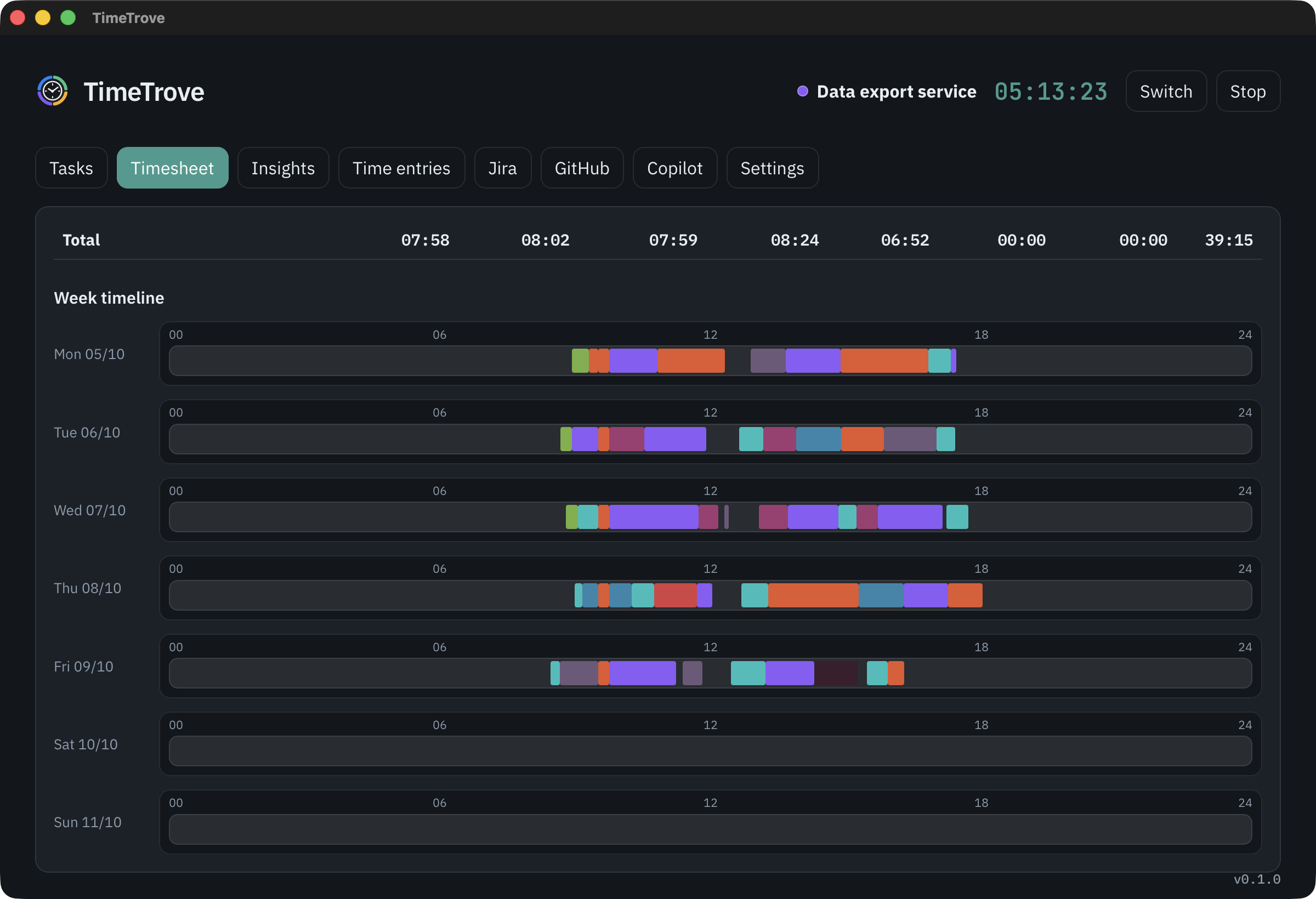
A Monday-start grid of tasks by day, with totals. Copy it into your timesheet tool or export CSV.
The bar shows what you're on and today's total. The clock turns gold at your daily goal, and "Not tracking" is impossible to miss.
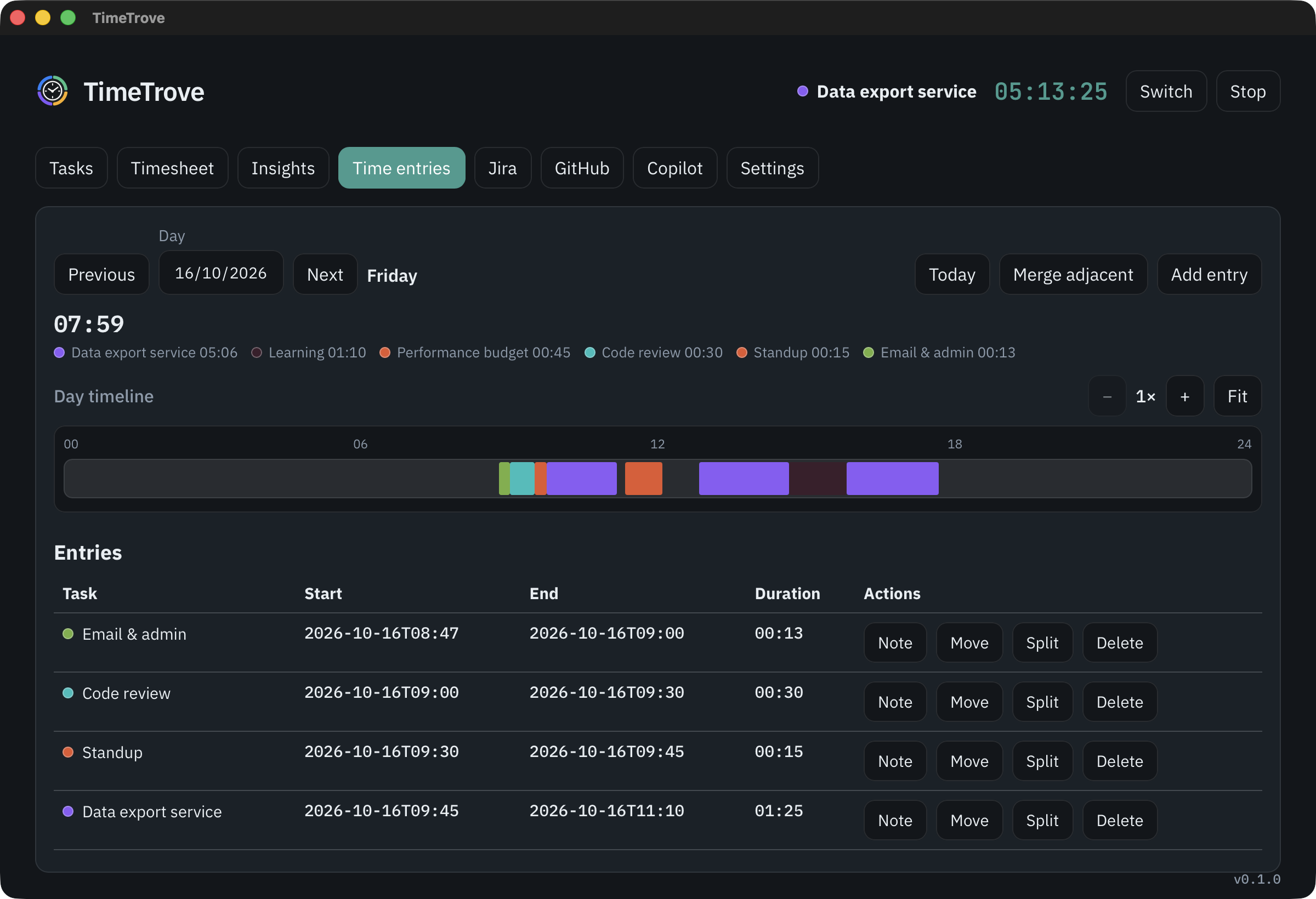
TrackingHover to stop, or open the Jira issueWith Copilot usageDaily goal reachedNot trackingResize entries on the timeline, drag across empty time to add one, then split, move or annotate the rest.
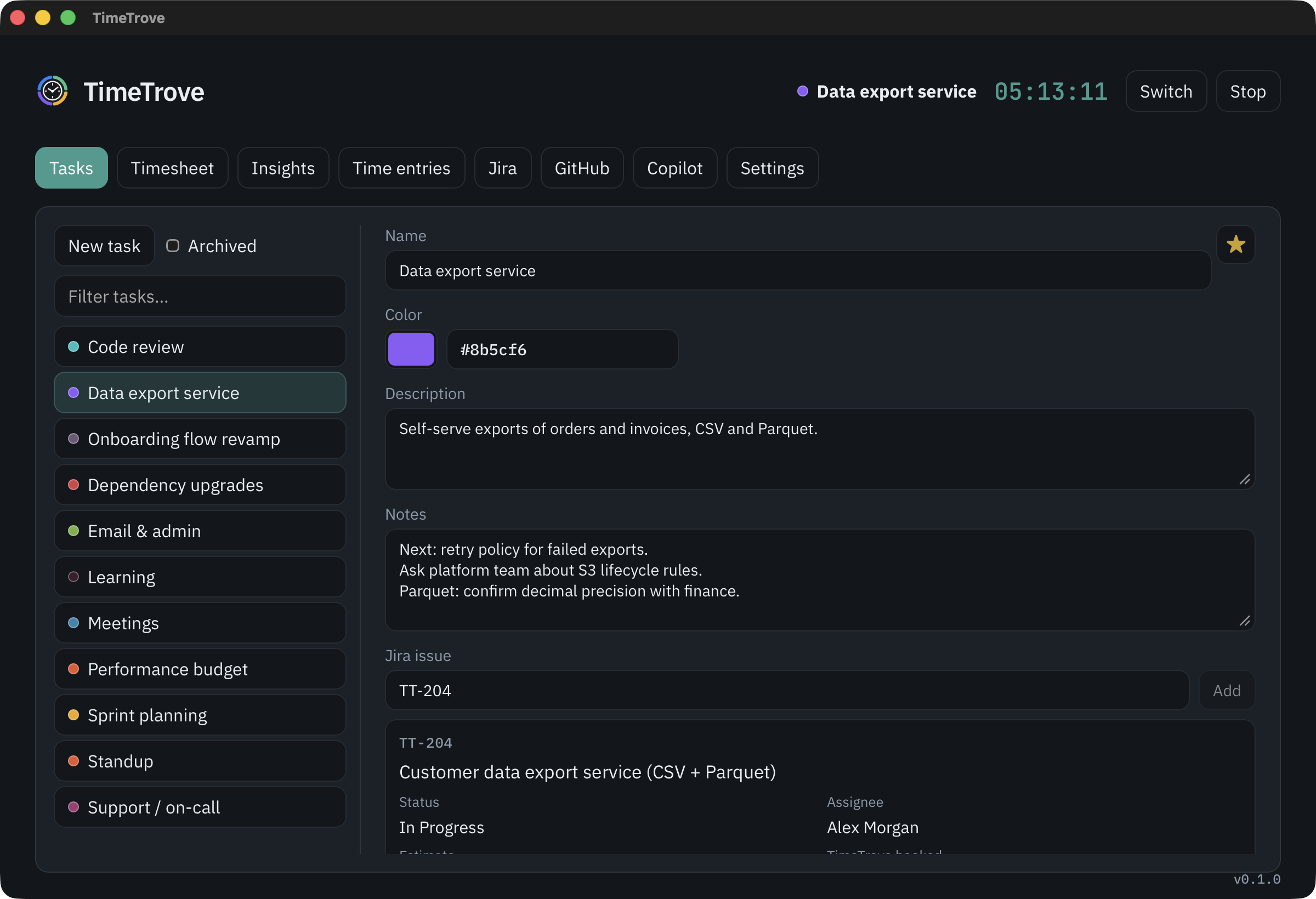
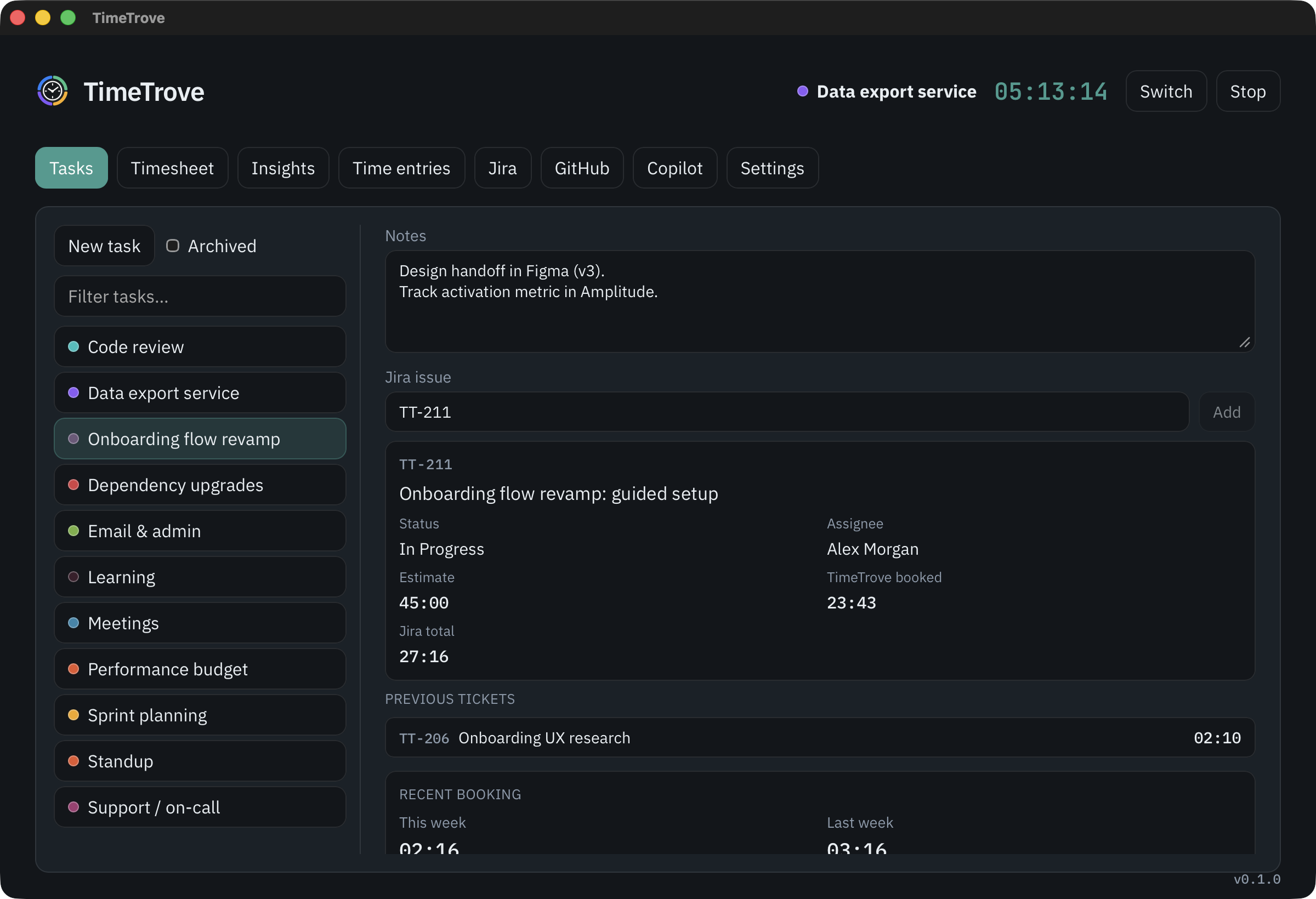
Colour, notes, and an optional Jira issue with estimate and time booked so far.
Keep the clock on the current task through a workshop without idle prompts.
 Snooze
Every day on one 24-hour scale, coloured by task, so a short Friday or a late Tuesday stands out.
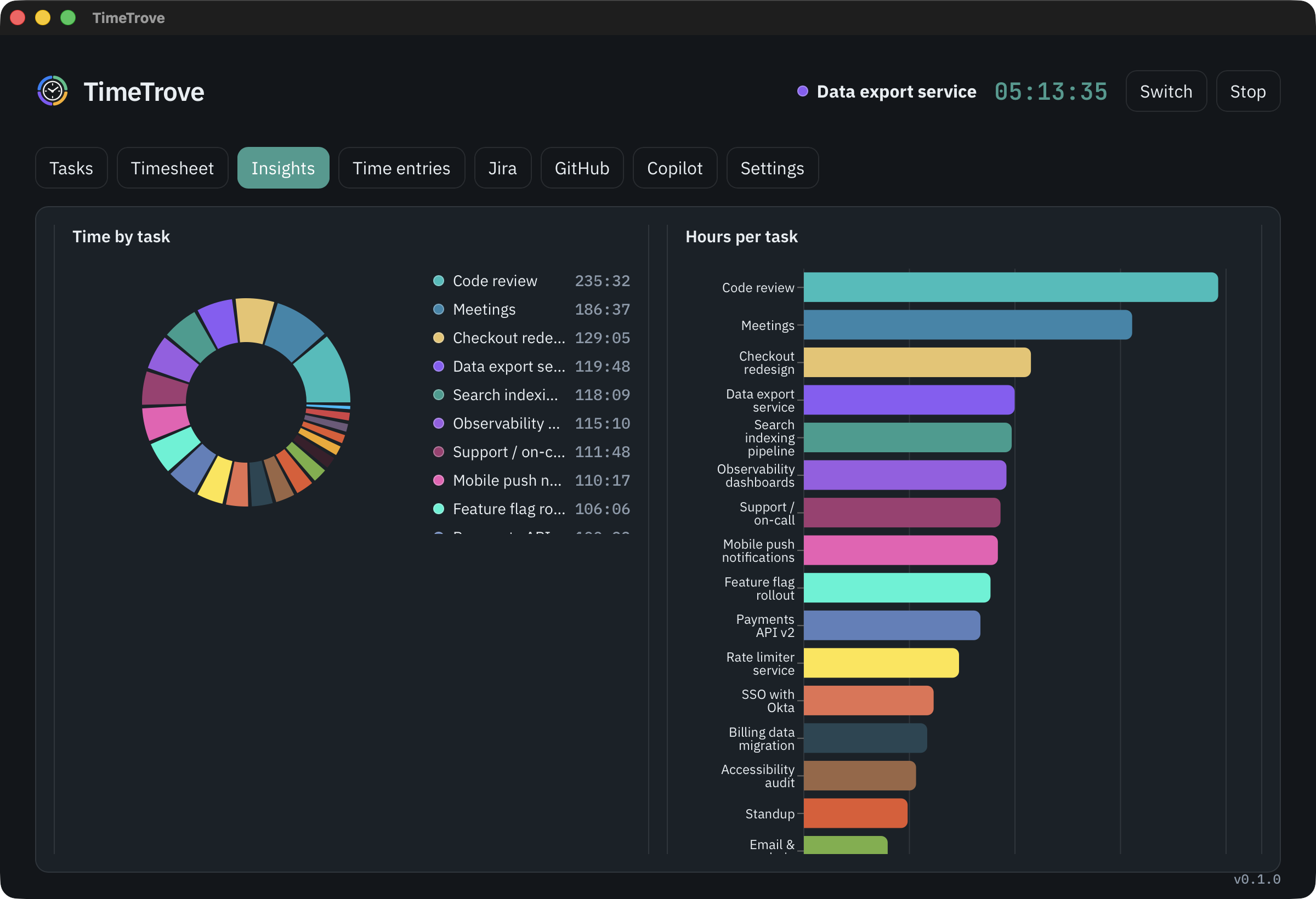
Pick a week, a month or the last twelve months. Insights shows average start and finish times, lunch length, how often you hit your goal, and where the hours went by task, weekday and hour of day.
Explore Insights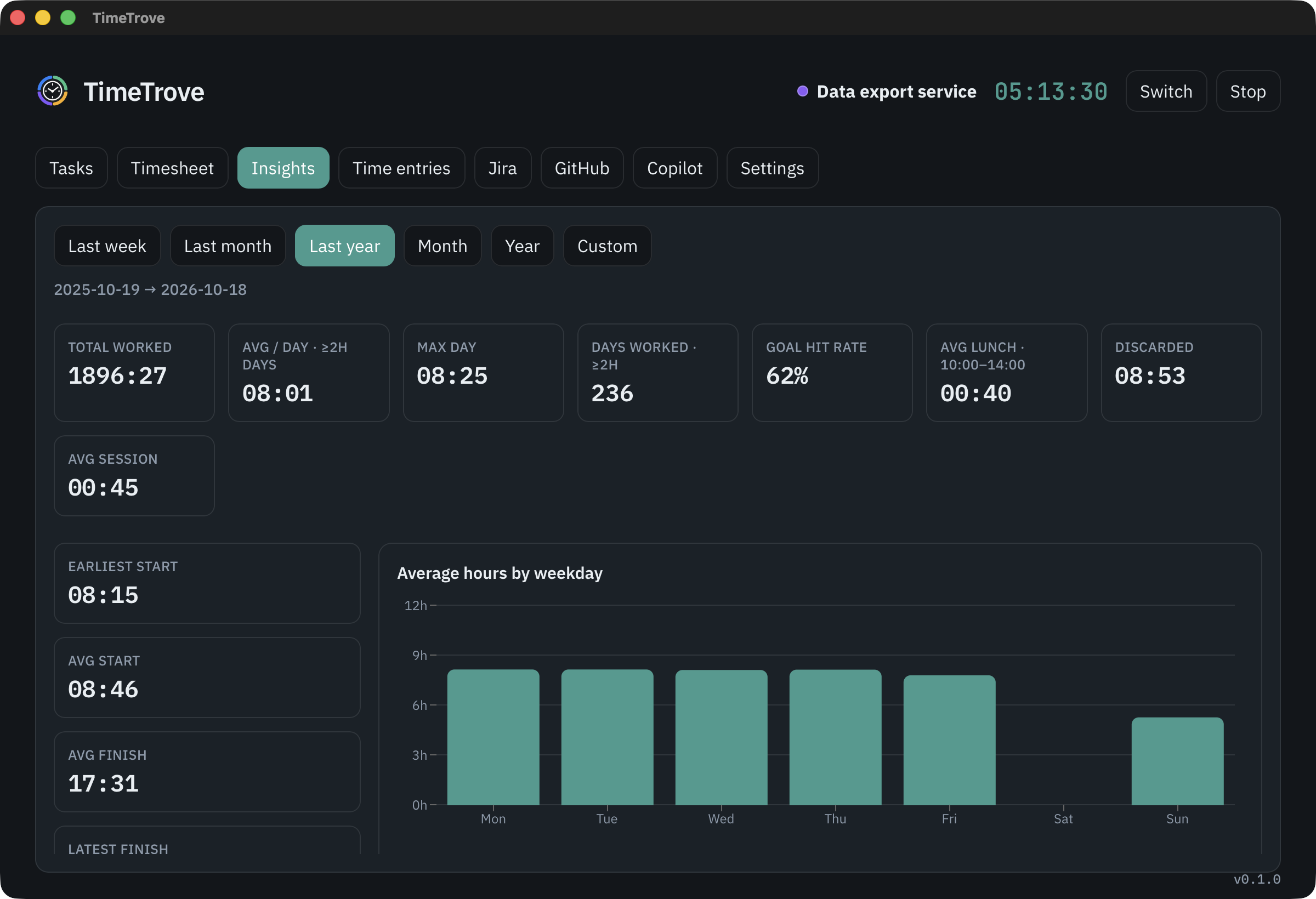
All three are off until you add a token. Nothing is sent anywhere else.
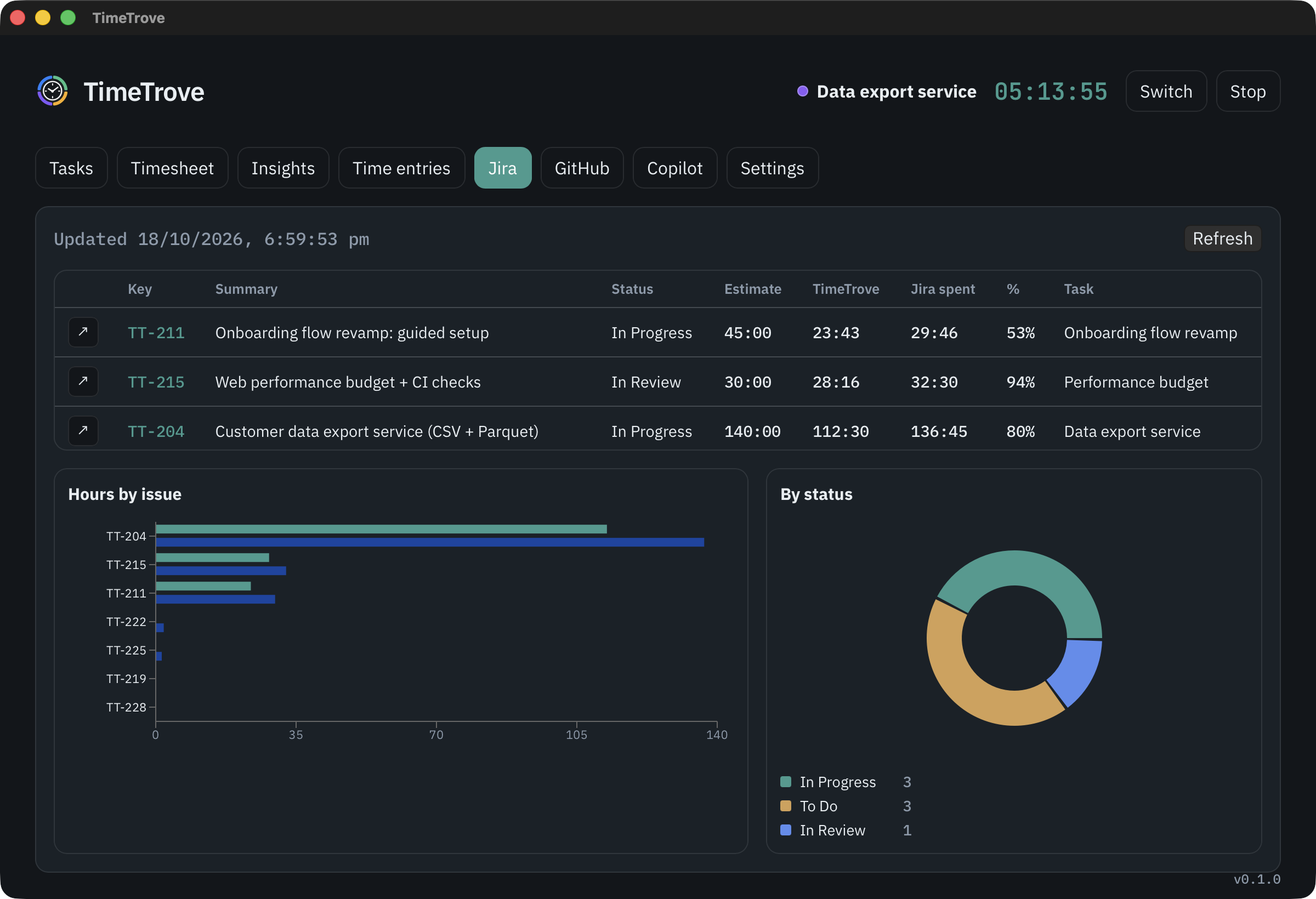
Link a task to an issue and TimeTrove posts your time as worklogs, every hour and whenever you switch.
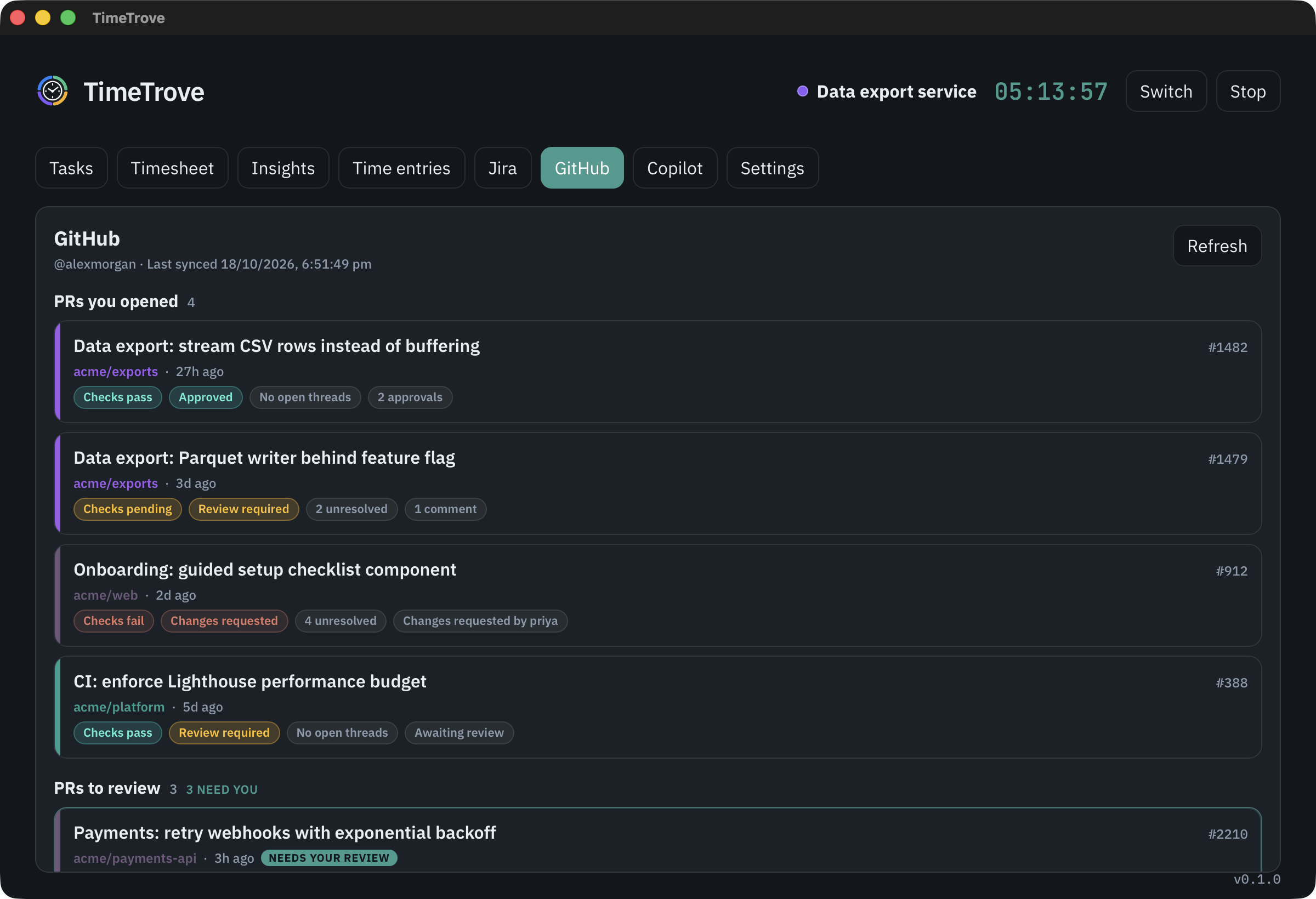
Your open pull requests, the ones waiting on your review, and your last 20 commits in one tab.
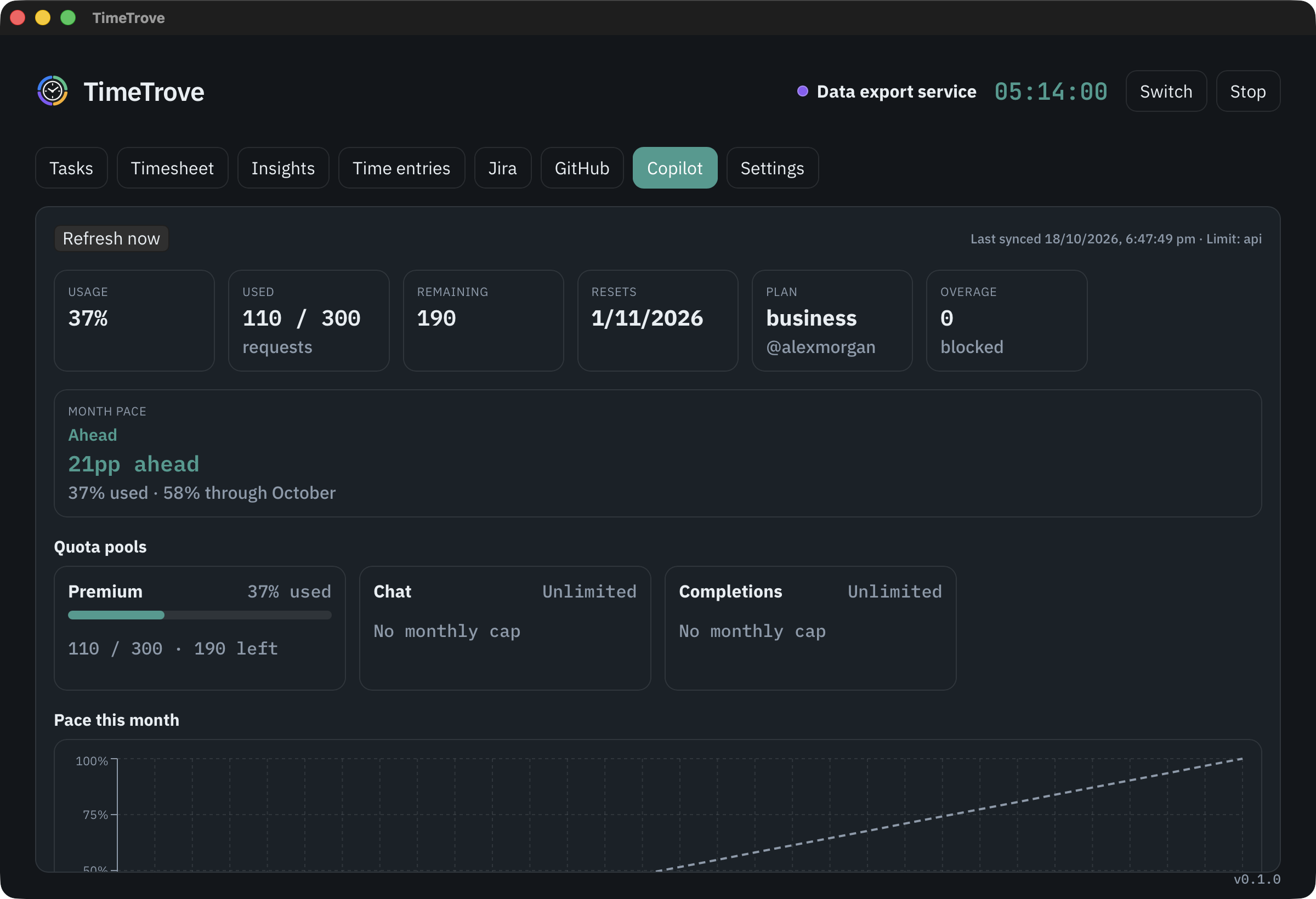
Premium request usage against your monthly allowance, with a pace line and a percentage on the bar.
No account, no server, no sync. TimeTrove keeps everything in a single SQLite file that you can back up, copy or delete.